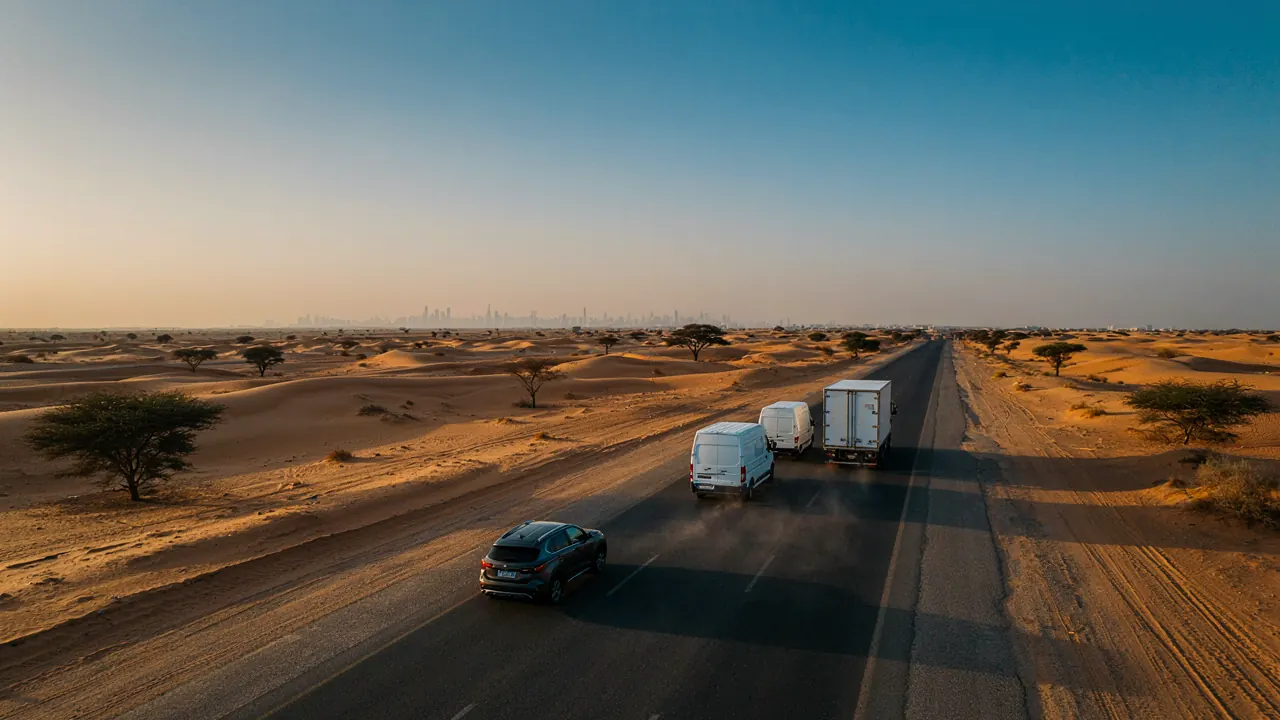

A tracker in a vehicle is only half of a vehicle tracking system. The other half is the software where you watch the fleet, replay what happened and receive the alert when something goes wrong. The HHET platform is that vehicle tracking software: a web application you open in a browser, with the HHET app giving managers and drivers the same fleet on a phone. This page covers what each one does, who should use which, and how users, roles and language are set up for Saudi companies.
The HHET platform in the browser
The platform is where the detailed work happens, so it is built for a large screen. There is nothing to install: staff log in at a web address with a username and password, on Windows, Mac or any computer with a modern browser. A typical day for a dispatcher starts on the live map, which shows every vehicle as a marker coloured by status: moving, idle with the engine on, parked, or offline. Clicking a vehicle opens a panel with speed, heading, ignition, last report time, the driver assigned and any sensor values such as fuel level or cargo temperature.
The same screen carries the tools managers use every week: a vehicle list with search and groups, a history panel for playback, a report builder, a geofence editor and the alert centre. Companies that need position data in their own systems, such as a dispatch or ERP system, can ask HHET about integration options; this is the AVL (automatic vehicle location) feed that logistics software typically consumes.
The mobile app for managers and drivers
The HHET app is for the moments when you are not at a desk: a manager on the Makkah road who wants to see where a truck is, an owner checking a company car at night, a supervisor receiving an alert. It shows the live map, a vehicle list, trip history for a chosen day and the alerts you have enabled, and it can send push notifications. It works on phones and tablets; check the store listing for the platforms and versions currently supported.
The app shows the position of the tracker fitted to the vehicle. It does not use your phone's GPS and does not locate any person, so a driver using the app sees fleet information relevant to their role and nothing about their own phone. That is a design choice, and it keeps the system about vehicles and assets.
| Task | Web platform | Mobile app |
|---|---|---|
| Live map and vehicle status | Yes | Yes |
| Trip history and playback | Yes, with speed and event graphs | Yes, for a chosen day |
| Building and exporting reports | Yes, with scheduling | View summaries |
| Drawing geofences | Yes | Limited |
| Alerts | Rules, thresholds, recipients | Push notifications |
| Users, roles and groups | Yes, administrators | No |
| Best used by | Dispatchers, administrators, owners | Managers on the move, supervisors |
Live map, playback and reports
Live map. Positions update every few seconds for moving vehicles. Satellite and street views help when a truck is on a yard or an unmarked road. Playback. Choose a vehicle and a time range, and the platform draws the route and replays it, with stops, speed and events marked on a timeline. It settles the argument about whether a vehicle was at the customer's site at 14:20 on Tuesday: you can see it arrive, how long it stayed and when it left. Reports. The common set covers trips, stops, idling, distance, overspeed, geofence entries and exits and ignition on/off. Where sensors are fitted, the platform adds fuel, temperature and driver reports. Reports export to common office formats and can be scheduled, so the Monday summary arrives in the owner's email without anyone logging in.
The data underneath is only as good as the installation, which is why the platform shows the time of each vehicle's last report and flags units that have gone quiet. If you want the mechanics of how a position reaches the map, read how GPS vehicle tracking works, and for the connection side, GPS tracker SIM cards and subscriptions.
Alerts and notifications
An alert is a rule that watches the data and tells the right person when it is broken. The platform ships with the rules most fleets need, and you set the thresholds. The usual set is overspeed above a limit you choose, entering or leaving a geofence, movement outside working hours, ignition on in a forbidden zone, long idling, power disconnection, low battery on battery units and a unit that has stopped reporting. Each rule can notify by push, email or SMS, and recipients can be set per vehicle group, so the Dammam supervisor is not woken by a Jeddah alert. Our guide to geofencing shows how to draw zones that produce useful alerts rather than constant ones.
A word on volume. A system that sends two hundred alerts a day teaches people to ignore it. Start with a handful of rules, review what fires in the first fortnight, and tighten thresholds. HHET helps with the first set during onboarding.
Users, roles and permissions
A fleet is rarely run by one person, and not everyone should see everything. The platform lets an administrator create users and give each a role: for example, an owner who sees all vehicles and all reports, a regional supervisor who sees only the vehicles in their group, a customer service agent who sees live position but not history, and a driver or client who sees one vehicle. Roles control which vehicles are visible, which reports can be run and whether a user can change settings or only view. Sub-accounts allow a group company or a contractor to see their own vehicles without seeing yours. Every login is identified, so changes to geofences or alert rules can be traced.
Because the system holds location history, access should follow a need to know, in line with your own tracking policy. Where your activity is licensed, the platform also carries the data that supports WASL reporting; see our page on TGA-approved tracking and WASL integration.
Arabic and English interface
Both the platform and the app run in Arabic and in English, and each user chooses. In Arabic the layout runs right to left, menus, alerts and reports appear in Arabic, and place names and addresses follow the map data available for the area. Reports can be produced in either language, so a branch manager in Jeddah and an operations lead who prefers English can look at the same fleet. Users switch language on their own login without affecting colleagues. Some device-specific field names may remain in English; HHET will confirm the exact coverage when you review the platform.
Ask for a demonstration login before you commit. Open the live map on your phone, run a trip report for a test vehicle, and trigger one alert yourself. Ten minutes will tell you more about fit than any feature list.
Beyond tracking: the fleet management layer
The software grows with the fleet. Maintenance reminders by distance or engine hours, driver assignment, fuel reports and utilisation sit in the same platform, and our fleet management system page covers that layer in detail, while driver behaviour monitoring explains the scoring tools. Request a quote, or ask for a demonstration login, and we will set up users and roles on your account before the first vehicle goes live.
Last reviewed .